
Audio recording has become a normal part of everyday digital life. People create podcasts, record interviews, produce YouTube videos, attend online meetings, make voiceovers, and prepare educational content using devices they already own. Smartphones and affordable microphones have made recording easier, but one problem remains common: unwanted background noise.
Even a recording made in a quiet room can contain sounds that were not noticeable at the time. A computer fan, air conditioner, traffic outside, keyboard clicks, or electrical interference can all become part of the final recording. Fortunately, advances in artificial intelligence have made it easier to reduce these unwanted sounds.
What Is AI Noise Reduction?
AI noise reduction uses machine-learning techniques to analyze an audio recording and identify unwanted sounds. Instead of relying entirely on manual filters and adjustments, an AI-based system attempts to understand the difference between the main audio and background noise.
For voice recordings, the primary sound is usually speech. The software attempts to preserve the speaker while reducing sounds that occur around them.
This can be useful because different recordings contain different types of noise. A podcast recorded in a bedroom may have fan noise, while an outdoor interview may contain traffic and wind. AI processing can help handle a variety of recording environments.
Why Background Noise Is Difficult to Avoid
Modern microphones are designed to capture sound accurately, which means they can also capture sounds that the person recording may not notice.
For example, a person sitting in a room may become accustomed to the continuous sound of an air conditioner. Their ears may largely ignore it, but the microphone records it along with their voice.
The same thing can happen with computer fans, refrigerators, street traffic, and other environmental sounds.
Occasional sounds can be even more challenging. A door closing or a vehicle passing outside may overlap with speech and become part of the recording.
This is why having a quiet recording environment is helpful, but it cannot always eliminate every unwanted sound.
How AI Noise Removal Can Help
AI-based processing can analyze the characteristics of an audio recording and attempt to separate speech from unwanted sounds.
The result can be a cleaner soundtrack in which the main voice is easier to understand.
This is particularly useful for people who are not professional audio engineers. Traditional audio-editing programs can provide extensive control, but they may require users to understand concepts such as equalization, filters, compression, and frequency ranges.
AI-powered tools can simplify this process by automating much of the analysis.
Using an Online Noise Remover
People who want a straightforward way to clean recordings can use an online service such as Noise Remover.
A browser-based workflow can be convenient because users do not necessarily need to install complicated audio software. Depending on the recording, users can upload an audio or video file, select a suitable processing option, and allow the system to process it.
After processing, it is important to listen to the result. Noise reduction should improve the recording without making the speaker’s voice sound unnatural.
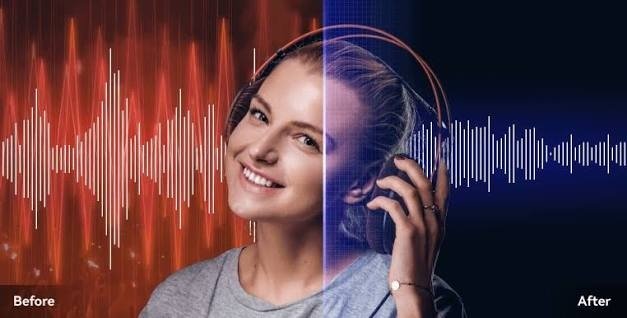
Comparing the original and processed versions can make it easier to determine whether the result is suitable.
Noise Reduction for Podcasts
Podcasts are a strong example of why clean audio matters.
Listeners often spend a significant amount of time listening to conversations. If a constant background sound is present throughout an episode, it can become tiring and distracting.
Podcast creators may record from home, where controlling every sound is difficult. Computers, fans, neighbors, traffic, and household appliances can all contribute to background noise.
AI noise reduction can help creators improve the recording before publishing it.
However, podcast producers should avoid excessive processing. A small amount of natural room sound is not necessarily a problem. The objective should be comfortable and understandable audio rather than an artificially silent recording.
Improving YouTube Videos
Video creators also benefit from better audio. A viewer may forgive simple visuals, but poor sound can make a video difficult to watch.
Background noise is particularly common in tutorials, interviews, travel videos, product demonstrations, and videos recorded outside.
A creator may capture an important moment on camera only to discover later that traffic or wind has affected the audio.
Noise-reduction software can provide a way to improve the soundtrack without having to record the entire video again.
Voiceovers and Narration
Voiceovers require particularly clear speech because the narration often carries the main message.
Whether the voiceover is being used for an advertisement, tutorial, presentation, audiobook project, or social-media video, background noise can distract listeners.
Recording in a quiet room is the first step, but post-processing can provide additional improvement.
After noise reduction, creators can continue editing the audio with other techniques such as volume balancing and compression if necessary.
Online Classes and Educational Content
Teachers and students increasingly use recorded audio and video for education.
A teacher recording a lecture from home may encounter sounds from appliances, traffic, or other people. Students listening to a long lesson may find constant noise distracting.
Cleaner audio can make educational content easier to follow.
The same applies to students recording presentations or submitting video assignments. Clear speech allows teachers to concentrate on the content rather than struggling to understand the speaker.
Remote Meetings and Interviews
Remote communication has also increased the need for reliable audio.
Interviews may be recorded through laptops or other devices, and participants may be located in environments that are not completely quiet.
Reducing background noise can make conversations easier to understand, especially when several people are speaking.
For recorded interviews, cleaner audio can also make the final production more professional.
Tips for Better Noise-Removal Results
AI processing works best when the original recording is reasonably good. A few simple practices can improve the final result.
First, try to record in a quiet location. Turn off unnecessary equipment and close windows if outside sounds are noticeable.
Second, place the microphone at a suitable distance from the speaker. If the microphone is too far away, it may capture more room noise.
Third, avoid touching the microphone or moving it during recording.
Finally, keep the original file. If the processed version does not sound right, having the original allows you to try different processing options.
Why You Should Check the Final Audio
Noise removal is not simply about making the background as quiet as possible.
An overly aggressive process can affect speech and create strange artifacts. A voice might sound robotic, metallic, or muffled.
For this reason, always listen to the processed file carefully.
Pay attention to pronunciation, natural voice tone, and overall clarity. If the speaker sounds natural and the unwanted noise is less distracting, the processing has probably achieved its purpose.
The Future of Audio Cleanup
AI technology continues to make audio editing more accessible. Tasks that once required specialized knowledge are becoming easier for everyday users.
As these technologies improve, noise reduction may become a standard part of content-creation workflows. Instead of spending large amounts of time manually adjusting recordings, creators can focus more on producing useful and engaging content.
This does not mean traditional audio editing will disappear. Professional editors will still need detailed controls for complex projects. However, AI can provide a convenient starting point for everyday recordings.
Conclusion
Background noise is an unavoidable part of many real-world recordings, but it does not have to ruin the final result. AI noise reduction provides a practical way to reduce unwanted sounds and improve speech clarity.
From podcasts and YouTube videos to online classes, interviews, presentations, and voiceovers, cleaner audio can make digital content easier to understand and more enjoyable.
The best approach is to combine good recording practices with sensible post-processing. Start with the cleanest recording possible, use an appropriate noise-removal method, and always listen to the final result.
With accessible online tools such as Noise Remover, improving the quality of everyday audio can be much simpler—even for people without professional audio-editing experience.