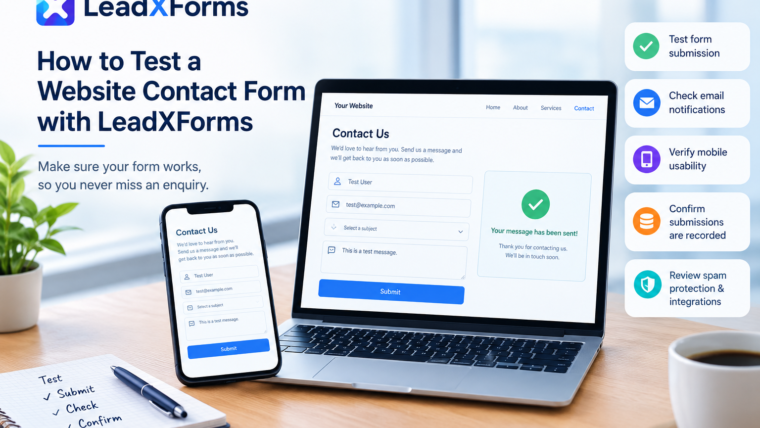
A website contact form is often the first point of communication between a business and a potential customer. When the form fails to submit, notifications do not arrive or enquiries are difficult to locate, businesses may miss opportunities without realising there is a problem. Regular testing helps website owners identify these issues and maintain a clear process for handling incoming enquiries.
LeadXForms provides form-building and lead management tools designed to help businesses collect, organise and track website enquiries. The following practical checks can help website owners determine whether their contact forms are working as expected.
Start with a Complete Test Submission
The most straightforward way to test a contact form is to submit a message as a visitor would. Open the page containing the form and enter sample information into each required field. Use a test name, an email address you can access and a message that clearly identifies the submission as a test.
Click the submit button and observe what happens. A working form should respond appropriately, such as displaying a confirmation message or redirecting to a thank-you page. However, a confirmation on the screen does not always prove that the enquiry has reached the intended recipient or been stored correctly.
Repeat the test on different pages if the website uses several forms for enquiries, quotations, bookings or other requests.
Check Email Notifications
Email delivery is a common source of contact form problems. A form may accept the submission while the notification fails to reach the business inbox.
Check the intended recipient’s inbox, spam folder and junk folder after submitting the test. Confirm that the notification contains the expected information and that the sender and reply-to addresses are configured correctly.
If the email does not arrive, review the form’s notification settings and the website’s email delivery configuration. Some websites may require an SMTP service or another properly configured email delivery method. Website owners should also check any relevant hosting or email provider logs when troubleshooting persistent failures.
Test Required Fields and Validation
A useful contact form should guide visitors when information is missing or entered incorrectly. Leave a required field empty and try to submit the form. The website should explain what needs to be corrected.
Where applicable, test email address validation, dropdown selections, checkboxes and conditional fields. If the form includes file uploads, check the permitted file types and size limits.
These checks help identify issues that may prevent genuine visitors from completing the form. They also help confirm that the form collects the information the business actually needs without asking unnecessary questions.
Check the Form on Mobile Devices
Contact forms should be tested on both desktop and mobile devices. A form that works on a computer may be difficult to use on a smaller screen because of overlapping fields, poorly positioned buttons or keyboard display problems.
Open the website on a smartphone and complete a test submission. Check that all fields are visible, the text is readable and the submit button can be selected easily. If the form uses multiple steps, move through each step to confirm that the process remains clear and usable.
Testing on different browsers can also help reveal compatibility problems that might otherwise go unnoticed.
Confirm That Submissions Are Recorded
Email notifications are useful, but they should not be the only way a business checks for enquiries. Messages can be overlooked, filtered into spam or missed during an email service interruption.
Where the form platform supports submission storage, check its dashboard after completing a test. Confirm that the new entry appears and that the information matches what was submitted. If a team handles enquiries, review whether the submission can be identified, tracked and marked for follow-up.
LeadXForms offers a centralised lead dashboard where businesses can view and organise submissions. Its features include lead status tracking, spam controls and tools for managing enquiries from multiple websites. This provides another way to review incoming leads instead of relying entirely on email notifications.
Review Spam Protection and Integrations
Spam controls should be tested carefully to ensure they filter unwanted submissions without unnecessarily blocking genuine enquiries. Submit ordinary test messages and review how they are handled. If keyword filters or other restrictions are enabled, confirm that legitimate customer messages can still pass through.
Businesses that connect forms to a customer relationship management platform, email marketing service or automation tool should also verify those connections. Submit a test entry and confirm that the expected data reaches the destination. Check field mapping, notification settings and any automation rules that depend on the submission.
The exact checks will depend on the tools and integrations used by the website.
Create a Regular Testing Routine
Contact form testing should not be limited to the day a website launches. Updates to plugins, themes, hosting settings, email services and integrations can affect how forms behave.
A practical routine includes testing forms after significant website changes, checking notification delivery periodically, reviewing submission records and investigating unexpected drops in enquiries. Keeping a record of test dates and results can also help teams identify recurring problems.
Website owners should use clearly labelled test data and remove test entries when appropriate, particularly when their lead management system is shared with a sales or customer service team.
A More Organised Approach to Website Enquiries
To test website contact form functionality effectively, businesses should verify the entire process, from entering information and submitting the form to receiving notifications and recording the enquiry. Testing only the visible submit button can leave important delivery and follow-up problems undiscovered.
LeadXForms brings form creation and lead management together, helping businesses organise submissions, monitor lead status and manage enquiries across their websites. Website owners can learn more about its features at https://www.leadxforms.com/.
A consistent testing process, combined with clear submission records and regular checks, helps businesses maintain a better enquiry-handling workflow and reduces the risk of missing important customer messages.