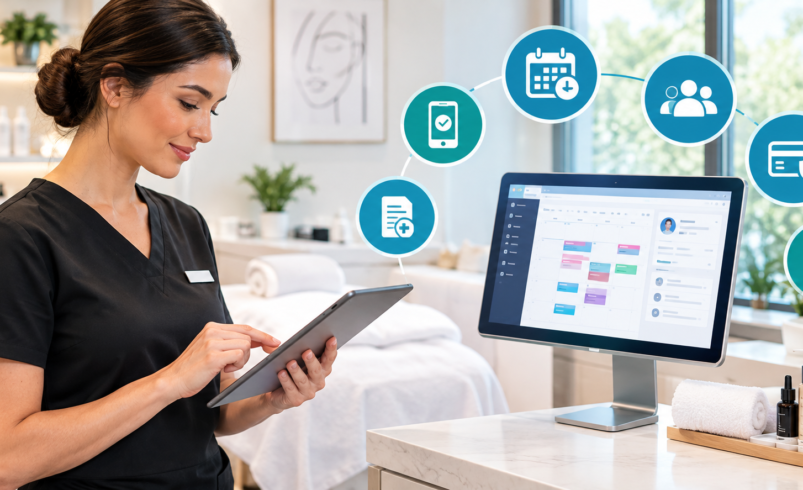

Running a medical spa involves much more than booking appointments. Staff need to manage client records, treatment notes, payments, schedules, forms, inventory, and follow-ups every day. When these tasks are handled through different tools, it can take more time and make simple tasks harder.
Medical spa software brings many of these tasks together in one place. The right system can make daily work easier while helping staff keep client information organized and secure. In 2026, there are many options available, so it is important to know which features actually matter before choosing one.
Here are the main features to look for when comparing the best medical spa software for your business.
1. HIPAA and Data Security
Medical spas may handle private health information, treatment records, medical history, and client photos. Because of this, data security should be one of the first things you check.
Look for software that supports HIPAA requirements and offers strong protection for client information. It should also have safe data storage, controlled user access, and other security features.
Ask the software provider whether they offer a Business Associate Agreement (BAA) when required. You should also understand how your data is stored, protected, and backed up.
Security is not an area where a medical spa should take chances.
2. Electronic Medical Records
Medical spa software should make it easy to create and manage electronic medical records, also known as EMRs.
Staff may need to record:
- Client medical history
- Treatment details
- Provider notes
- Allergies
- Treatment plans
- Follow-up information
- Before-and-after photos
Having these details in one client record makes it easier for authorized staff to find the information they need.
A good system should also make it simple to update records after each visit without making staff spend too much time clicking through different screens.
3. Online Appointment Scheduling
Online booking is an important feature for a busy medical spa. Clients often want to book an appointment outside normal business hours.
With online scheduling, clients can view available times and choose an appointment without calling the office.
When checking this feature, look for:
- Online booking
- Staff calendars
- Service-based scheduling
- Appointment changes
- Cancellation options
- Waitlists
- Calendar updates
The booking process should be simple for both clients and staff.
4. Appointment Reminders
Missed appointments can create empty spaces in the schedule. Automated reminders can help clients remember their upcoming visits.
The software should allow you to send reminders by text, email, or other available methods.
You may also want reminders for:
- Upcoming appointments
- Follow-up visits
- Treatment schedules
- Consultation appointments
- Forms that need to be completed
A good reminder system can reduce the amount of time staff spend making reminder calls.
5. Digital Forms and Consent
Paper forms can take up space and require staff to enter information manually. Digital forms allow clients to complete important information before or during their visit.
Look for software that supports digital intake forms and treatment consent forms.
Clients may need to provide information such as:
- Contact details
- Medical history
- Allergies
- Current medications
- Treatment information
- Consent for specific procedures
The system should store completed forms with the correct client record so staff can find them when needed.
6. Before-and-After Photos
Photos are an important part of many medical spa treatments. They allow providers to keep a record of treatment results and compare changes over time.
Instead of saving photos in separate folders, look for software that allows before-and-after images to be stored with the client’s record.
Useful photo features may include:
- Easy photo uploads
- Before-and-after comparisons
- Secure storage
- Client record connections
- Notes linked to photos
Since these photos may contain private client information, security should also be considered.
7. Payment Processing
Payment features are another important part of medical spa software. Staff should be able to collect payments without switching between several systems.
Look for features such as:
- Credit and debit card payments
- Digital payments
- Deposits
- Refunds
- Payment records
- Receipts
- Card-on-file options
- Payment plans, when available
The system should also make it easy to connect a payment to the correct client and service.
Before choosing software, check the payment fees and any additional charges. A low monthly price does not always mean the overall cost will be low.
8. Packages and Memberships
Many medical spas offer treatment packages and memberships. Managing these by hand can become difficult as the number of clients grows.
Software with package and membership tools can keep track of what a client has purchased and what they have already used.
For example, a client may purchase a package with several treatments. The system should show the remaining visits without requiring staff to check a spreadsheet.
Membership tools may also help with recurring payments, benefits, and visit tracking.
9. Inventory Management
Medical spas may keep products, skincare items, treatment supplies, and other stock on hand. Running out of an important item can cause problems for staff and clients.
Inventory features can help you track:
- Products in stock
- Items used during treatments
- Retail products
- Low-stock items
- Expiration dates
- Product orders
For practices that use injectable or treatment products, more detailed tracking may also be useful.
Having a clear view of inventory can make it easier to know what needs to be reordered.
10. Client Management
A client management system should give staff a clear view of each client’s information.
A client profile may include contact information, appointments, treatment history, notes, payments, forms, photos, and other useful details.
This saves staff from searching through different systems to understand a client’s history.
It can also make future visits easier because the team can review previous information before the appointment.
11. Marketing and Follow-Up Tools
Getting a new client is only one part of running a medical spa. Staying in touch with existing clients is also important.
Some medical spa software includes tools for sending emails and text messages, follow-up reminders, birthday messages, appointment reminders, and rebooking messages.
For example, after a treatment, the system may remind staff to contact the client about a follow-up appointment.
These tools can help your team stay in contact without having to remember every follow-up manually.
12. Reports and Business Data
Good reports can help medical spa owners understand how the business is doing.
Look for reports covering areas such as:
- Sales
- Payments
- Appointments
- Cancellations
- No-shows
- Staff performance
- Popular treatments
- Product sales
- Memberships
- Client activity
The reports should be easy to understand. You should not need advanced technical skills just to find basic business information.
13. Staff Management
If your medical spa has several employees or providers, staff management tools can make scheduling easier.
The software may allow you to manage staff calendars, working hours, appointments, services, and access levels.
Different employees may also need different levels of access. For example, not every staff member should be able to view or change every type of client information.
Role-based access can help keep information limited to the people who need it.
14. Easy-to-Use Interface
A system can have many features and still be difficult to use. If staff cannot understand the software, they may avoid using important features.
Look for a simple layout with clear menus and easy steps.
Before buying, ask for a demo. Let the staff members who will use the system test common tasks such as:
- Booking an appointment
- Opening a client record
- Adding treatment notes
- Taking a payment
- Checking inventory
- Sending a reminder
This can give you a better idea of how the software will work during a normal day.
15. Mobile Access
Medical spa owners and managers may not always be sitting at a computer. Mobile access can make it easier to check schedules, review information, or handle certain tasks while away from the front desk.
If mobile access matters to your business, check whether the system works well on phones and tablets.
Also check which features are available on mobile. Some systems may offer basic access but limit important functions to the desktop version.
16. Integrations
Your medical spa may already use other tools for accounting, calendars, communication, marketing, or other business tasks.
Software that works with the tools you already use can save staff from entering the same information more than once.
Before choosing a system, make a list of the tools your business depends on. Then check whether the new software can connect with them.
Do not assume that every system supports the same connections. Always confirm this before signing up.
17. Customer Support and Training
Even simple software can take time to learn. Good customer support can make the change easier for your team.
Check what support is included with the software. Find out whether help is available through phone, email, chat, or a support center.
Training is also important when moving from an old system to a new one.
Ask about:
- Staff training
- Setup support
- Data transfer
- Help articles
- Technical support
- Response times
A clear setup process can make it easier for your team to start using the software.
18. Pricing and Extra Fees
Price should not be the only thing you look at. You should understand the full cost before making a decision.
Check whether the price includes the features your business needs. Some systems may charge extra for additional users, locations, payment tools, text messages, storage, or other features.
Ask for a complete price breakdown that includes:
- Monthly or yearly software cost
- Setup fees
- Training fees
- Payment processing fees
- Extra user fees
- Add-on costs
- Data migration fees
This makes it easier to compare the actual cost of different options.
How to Choose the Right Medical Spa Software
Start by making a list of the problems you want the software to solve. Maybe your team spends too much time on scheduling, client records, payments, follow-ups, or inventory.
Next, list the features you need most.
For example, a small medical spa may focus on scheduling, client records, forms, payments, and reminders. A larger practice may need stronger staff management, inventory tracking, reporting, memberships, and multiple-location support.
Once you have your list, compare software based on your actual daily needs rather than choosing a system simply because it has a long list of features.
It is also a good idea to request a demo. Ask the provider to show you how the system handles the tasks your staff performs every day.
Final Thoughts
The best medical spa software should make daily work easier while keeping client information organized and secure. Features such as HIPAA support, medical records, online scheduling, digital forms, payments, inventory, client management, reports, and follow-up tools can all play an important role.
Before choosing software, think about your current needs and how your business may grow over the next few years. A system that fits your workflow can save staff time and make everyday tasks easier to manage.
For businesses also looking at payment solutions, you can learn more through Florida Payments.