
Have you ever opened an old 7z archive only to discover that you cannot remember the password? The files may still be intact, but without the correct password, accessing encrypted archive contents can become a challenging task.
If the archive belongs to you or you are authorized to recover it, 7z Password Recovery Software can provide a structured way to search for the forgotten password. Instead of relying on random guesses, dedicated recovery software can test password candidates using methods designed for different types of forgotten passwords.
If you are considering whether to buy 7z Password Recovery Software, it is important to understand what these tools do, which features matter, and what limitations you should expect before purchasing.
What Is 7z Password Recovery Software?
7z Password Recovery Software is a specialized application designed to help users recover access to password-protected 7z archives.
The 7z format is commonly associated with 7-Zip and supports strong encryption. When an archive is protected with a password, the files inside cannot simply be extracted without successful authentication.
In simple terms, think of a 7z archive as a locked container. If you have forgotten the key, recovery software can systematically test possible keys based on information you provide.
A recovery application does not necessarily reveal a password instantly. Depending on the password’s complexity, the software may need to test a large number of possible combinations.
Why Buy 7z Password Recovery Software?
Free utilities and manual password guessing may be sufficient in simple situations, but professional recovery software can provide additional controls and automation.
There are several reasons users may choose to purchase a dedicated tool.
1. Recover Forgotten Archive Passwords
People frequently create password-protected archives for backups, documents, photographs, project files, or other important information. Passwords can be forgotten months or years later.
A dedicated recovery tool can help systematically test possible password combinations.
2. Multiple Recovery Methods
Different forgotten passwords require different approaches.
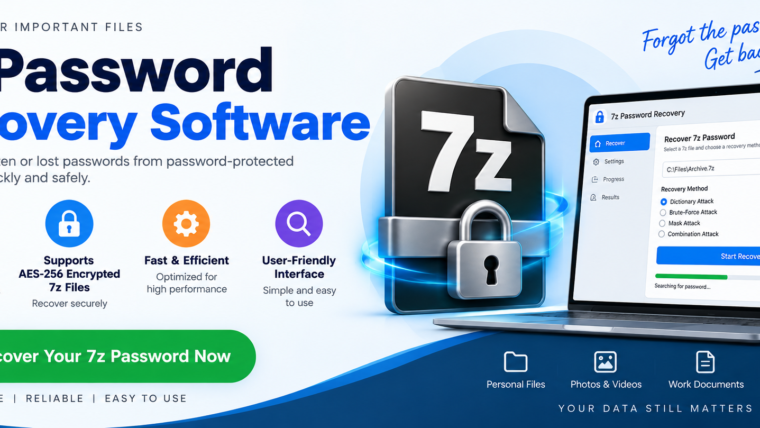
Depending on the software, available methods may include:
- Dictionary-based recovery
- Brute-force recovery
- Mask-based recovery
- Combination-based recovery
- Custom character-set searches
Having multiple methods can be useful because you may remember some characteristics of the original password without remembering the complete password.
3. Better Control Over the Search
Professional software may allow users to define parameters such as:
- Minimum password length
- Maximum password length
- Character sets
- Known characters
- Password patterns
- Dictionary files
These settings can reduce unnecessary searching when you have useful clues about the original password.
How Does 7z Password Recovery Work?
Understanding the basic process makes it easier to choose suitable software.
Suppose you remember that your password contained a particular word followed by several numbers. Rather than searching every possible password, you can configure a recovery process around those known characteristics.
The software then generates password candidates and checks them against the encrypted archive.
A simplified workflow looks like this:
Select 7z File → Analyze Archive → Choose Recovery Method → Configure Parameters → Start Recovery → Verify Password
The actual process varies between products.
Popular Recovery Methods Explained
Dictionary Recovery
Dictionary recovery uses a list of possible words or passwords.
This approach can be useful when you believe the original password was based on familiar words, names, places, or phrases.
For example, someone may remember that their password was based on a particular word but forget the capitalization or additional numbers.
Brute-Force Recovery
Brute-force recovery systematically tests character combinations.
It can theoretically cover a broad range of possibilities, but the search space can become extremely large as password length and complexity increase.
For example, searching a short numeric password is substantially different from searching a long password containing letters, numbers, and special characters.
Mask Recovery
Mask-based recovery can be especially useful when you remember part of the password.
Imagine that you remember the first several characters but cannot recall the final characters. A mask can define the known and unknown portions, allowing the software to focus on matching possibilities.
This can be significantly more efficient than testing every possible password.
Combination Recovery
Some tools allow different candidate elements to be combined. This can help when you remember that a password consisted of several words, numbers, or other components but do not remember the exact arrangement.
What Should You Look for Before You Buy?
Not every 7z password recovery application offers the same capabilities. Before purchasing, examine the following features.
Support for Your 7z Archive
First, confirm that the software supports the type of 7z encryption and archive configuration you are trying to recover.
Do not assume that every program supports every archive.
Multiple Recovery Modes
A tool offering several recovery methods gives you more flexibility.
For example, dictionary recovery may be appropriate when you remember the general password vocabulary, while mask recovery may be better when you remember specific characters or a pattern.
Customizable Search Parameters
Look for controls that let you define password length, character sets, known characters, and other relevant parameters.
Customization can help reduce unnecessary search combinations.
Resume Function
Some recovery attempts can take considerable time. A resume capability can be useful if your computer needs to restart or the recovery process is interrupted.
Performance
Recovery speed depends on multiple factors, including the software, processor, graphics hardware when supported, password complexity, and search strategy.
Be cautious of marketing claims promising instant recovery of any password. Strong passwords are intentionally difficult to guess.
User-Friendly Interface
A technical recovery tool does not have to be difficult to use. A clear interface with understandable settings can make the recovery process easier for both technical and non-technical users.
Who Should Buy 7z Password Recovery Software?
A dedicated recovery tool may be useful for:
- Individual users recovering their own archives
- IT professionals handling authorized data recovery
- Businesses managing legacy archives
- Data-recovery technicians
- Organizations maintaining password-protected backups
- Users who have forgotten passwords to their own compressed files
The appropriate product depends on the archive type, recovery requirements, available hardware, and the amount of information known about the forgotten password.
Free vs. Paid 7z Password Recovery Software
One common question is whether users should choose free software or buy 7z Password Recovery Software.
Free tools may be suitable for experimentation or simple recovery requirements. However, paid products may provide additional functionality, support, performance optimization, recovery modes, or commercial licensing.
Before purchasing, compare:
| Feature | Free Tool | Paid Tool |
|---|---|---|
| Basic recovery | May be available | Usually available |
| Multiple recovery modes | Varies | Often available |
| Advanced configuration | Varies | More commonly available |
| Technical support | Limited or unavailable | May be included |
| Commercial usage | Check license | Depends on license |
| Updates | Varies | Often included for a defined period |
The exact features depend on the individual product, so checking the vendor’s current documentation is important.
Is 7z Password Recovery Guaranteed?
No recovery software can honestly guarantee that every forgotten password will be recovered.
Modern encryption is designed to make password guessing difficult. If a password is long, random, and contains a large combination of characters, exhaustive searching may require an impractical amount of computing time.
Your chances of completing a recovery attempt can improve when you remember useful information such as:
- Approximate password length
- Character types
- Specific words
- Numbers
- Special characters
- Known prefixes or suffixes
- Possible capitalization
- Password patterns
The more accurately you can describe the original password, the more narrowly the search can potentially be configured.
Best Practices Before Starting Recovery
Before attempting recovery, make a backup copy of the original 7z archive.
Do not experiment directly with your only copy of important data.
It is also useful to document everything you remember about the password. Write down possible words, numbers, capitalization patterns, and approximate lengths. These clues can help you configure the recovery process more efficiently.
For business-critical archives, consider testing the software with a non-critical copy before beginning a lengthy recovery operation.
Frequently Asked Questions
What is the purpose of 7z Password Recovery Software?
It helps authorized users systematically attempt to recover forgotten passwords for protected 7z archives.
Should I buy 7z Password Recovery Software or use a free tool?
That depends on your requirements. Compare supported recovery methods, configuration options, performance, licensing, updates, and technical support before purchasing.
Can the software recover any 7z password?
No. Recovery depends on password complexity, encryption, available clues, search strategy, and computing resources.
Which recovery method is best?
There is no single method that works best for every situation. The appropriate approach depends on what you remember about the original password.
Is it safe to use password recovery software?
For your own archives or data you are authorized to access, use reputable software obtained from a trustworthy vendor. Always keep a backup of the original archive.
Conclusion
If you regularly work with password-protected 7z archives, buying 7z Password Recovery Software can provide a structured approach to recovering forgotten passwords. Features such as dictionary, brute-force, mask, and combination-based recovery can help address different password-recovery scenarios.
However, choosing the right software requires realistic expectations. A professional recovery tool can systematically search possible passwords, but it cannot bypass the fundamental difficulty created by strong encryption and highly complex passwords.