
Still have important emails trapped inside an NSF file? If your organization is moving from IBM Notes to Microsoft Outlook, simply having access to the original NSF database may not be enough. Outlook uses its own data-storage formats, and PST is one of the most common formats used for storing Outlook mailbox information.
This is where NSF to PST Converter Software can help. Designed for authorized email migration and data conversion, these tools can extract supported mailbox information from NSF databases and export it into Outlook-compatible PST files.
If you are considering whether to buy NSF to PST Converter Software, the key is to understand how the conversion works, what features matter, and how to evaluate a product before purchasing.
What Is NSF to PST Converter Software?
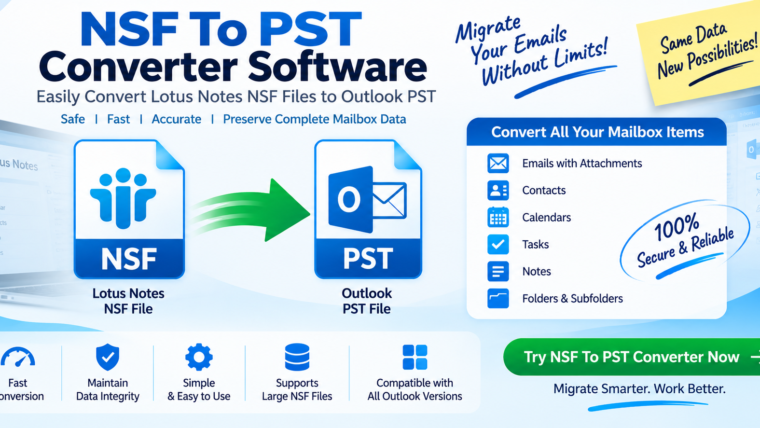
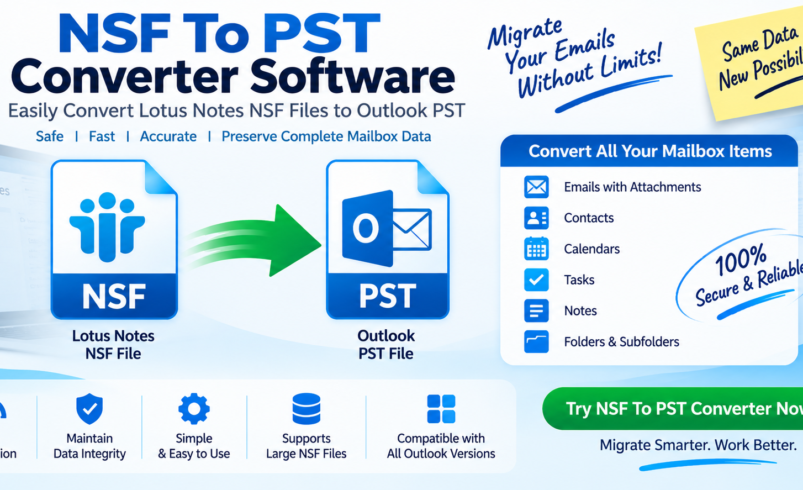
NSF to PST Converter Software is a specialized utility designed to convert or export supported data from IBM Notes/Domino NSF files into Microsoft Outlook PST files.
An NSF file can contain different types of information depending on how the database was created. Common mailbox content can include:
- Emails
- Attachments
- Contacts
- Calendars
- Tasks
- Notes
- Mail folders
PST, or Personal Storage Table, is an Outlook data-file format used to store supported mailbox information locally.
In simple terms, think of NSF and PST as two different languages. IBM Notes understands NSF, while Outlook works with PST. A converter acts as a bridge between the two formats.
Why Buy NSF to PST Converter Software?
There are several situations in which purchasing dedicated conversion software may be useful.
1. IBM Notes to Outlook Migration
Organizations sometimes migrate from IBM Notes/Domino to Microsoft Outlook or another Microsoft-based environment.
During such a migration, historical mailbox information may need to be transferred from NSF databases into Outlook-compatible files.
A dedicated converter can provide a structured workflow for processing this data.
2. Accessing Legacy NSF Data
Businesses often retain old NSF files for archival or historical purposes. If IBM Notes is no longer part of the organization’s daily workflow, accessing those files can become inconvenient.
Converting supported mailbox information into PST can make the data easier to manage in an Outlook environment.
3. Migrating Multiple Mailboxes
IT administrators may need to process multiple NSF databases during an organization-wide migration.
Software that supports batch processing can reduce repetitive manual work and provide a more consistent migration workflow.
4. Preserving Historical Email
Business emails can contain important communications, attachments, project discussions, and records. During a platform migration, maintaining access to historical information is often an important requirement.
A converter can help transfer supported email content into an Outlook-compatible format.
How Does NSF to PST Conversion Work?
The exact process varies between software products, but most dedicated converters follow a similar workflow.
Step 1: Add the NSF File
The user launches the converter and selects the NSF database that needs to be processed.
Some applications allow users to add multiple NSF files.
Step 2: Scan the NSF Database
The software analyzes the selected file and identifies available folders and supported data.
A preview feature can be useful at this stage because it lets users inspect the available information before conversion.
Step 3: Select Required Data
Depending on the product, users may be able to select individual folders, mailboxes, or other supported items.
Selective conversion is particularly useful when the entire NSF database does not need to be migrated.
Step 4: Choose PST as the Destination
The user selects PST as the output format and configures available options.
Depending on the software, options may include:
- Folder selection
- Date-based filtering
- Attachment processing
- Destination location
- Naming preferences
Step 5: Convert the Data
The conversion engine reads supported NSF content and creates the PST output.
The software may attempt to preserve mailbox structure, message content, attachments, and other supported properties.
Step 6: Verify the PST
After conversion, the resulting PST should be opened and checked in the target Outlook environment.
Users should verify important folders, messages, attachments, and other required data before considering the migration complete.
Features to Consider Before You Buy
Not all NSF to PST converters offer identical functionality. Before buying, evaluate the following features.
NSF File Compatibility
Check whether the software supports the NSF databases you actually need to process.
Compatibility should be verified against the product’s current technical documentation.
Selective Conversion
Selective conversion allows users to migrate specific folders or items instead of processing an entire database.
This can save time and storage space.
Batch Conversion
If you have many NSF files, batch processing can be an important productivity feature.
Instead of processing every file manually, users can add multiple databases and process them according to the software’s supported workflow.
Attachment Handling
Attachments are often an essential part of business email. Check whether the software supports exporting attachments and preserving their relationship with the original messages.
Folder Structure Preservation
A converter that preserves the original mailbox hierarchy can make the resulting PST easier to navigate.
For example, folders such as Inbox, Sent, Drafts, and custom project folders should ideally remain logically organized where supported.
Preview Capability
Previewing NSF content before conversion can help users confirm that the required data is readable and available.
It can also help identify which folders need to be migrated.
Large NSF File Support
Large databases can require significant processing resources. If you are migrating enterprise data, check the product’s documented limitations regarding file size, system requirements, and batch processing.
Data Filtering
Some products provide filtering options that allow users to select particular data based on criteria such as dates or folders.
This can be helpful when only a portion of an archive needs to be migrated.
Buy NSF to PST Converter Software vs. Manual Methods
Manual migration methods may be possible in certain environments, but they can involve multiple steps and may depend on the availability and configuration of IBM Notes and Outlook.
Dedicated software is designed specifically for the conversion workflow and may provide features such as preview, selective conversion, batch processing, filtering, and automated PST creation.
However, users should evaluate the actual features of each product rather than assuming that every converter handles all NSF data types or migration scenarios.
Is NSF to PST Conversion Safe?
A successful conversion depends on the software, source data, system configuration, and migration process.
Before beginning an important migration, create a backup copy of the original NSF files.
Do not delete or modify the original database until the converted PST has been thoroughly verified.
After conversion, check:
- Email messages
- Attachments
- Folder hierarchy
- Sender and recipient information
- Dates
- Important contacts
- Calendar information, if supported
- PST accessibility in the target Outlook environment
For large business migrations, performing a test conversion on a representative sample can help identify potential compatibility issues before processing all mailboxes.
Who Should Buy NSF to PST Converter Software?
Dedicated conversion software may be useful for:
- IT administrators
- Businesses migrating from IBM Notes to Outlook
- Organizations managing legacy NSF archives
- Email migration consultants
- System administrators
- Users who need to access historical NSF mailbox data through Outlook
The right solution depends on the amount of data, number of NSF files, required data types, target Outlook environment, and migration timeline.
Free vs. Paid NSF to PST Converter Software
A free tool may be sufficient for a small or simple conversion, but paid software may offer additional capabilities.
Before purchasing, compare:
| Feature | Free/Trial Tool | Paid Software |
|---|---|---|
| NSF scanning | Varies | Usually available |
| PST export | May be limited | Usually available |
| Batch conversion | Often limited | May be available |
| Selective conversion | Varies | Common in advanced tools |
| Filtering | Varies | May be available |
| Technical support | Limited | Often available |
| Licensing | Free or restricted | Commercial license |
Always check the vendor’s current licensing terms, supported versions, and trial limitations before making a purchase.
Frequently Asked Questions
What is NSF to PST Converter Software?
It is software designed to convert or export supported information from IBM Notes NSF databases into Microsoft Outlook-compatible PST files.
Why should I buy NSF to PST Converter Software?
A dedicated converter can simplify authorized email migration by providing features such as selective conversion, batch processing, filtering, preview, and PST creation, depending on the product.
Can NSF emails and attachments be converted to PST?
Many converters support email messages and attachments, but exact support depends on the software and the structure of the source NSF database.
Can multiple NSF files be converted?
Some products provide batch conversion. This feature is particularly useful for organizations migrating multiple mailboxes.
Should I back up my NSF files before conversion?
Yes. Maintaining an untouched backup of the original NSF data is an important precaution during migration.
Conclusion
If you are planning an IBM Notes-to-Outlook migration or need to access legacy mailbox information through Outlook, buying NSF to PST Converter Software can provide a structured approach to converting supported NSF data into PST format.
Before purchasing, look beyond the basic “NSF to PST” capability. Evaluate NSF compatibility, batch conversion, selective export, attachment handling, folder preservation, filtering, preview functionality, large-file support, licensing, and technical support.
Most importantly, protect the original data throughout the migration process. Keep reliable backups, perform a test conversion when possible, and verify the resulting PST before deleting or retiring the original NSF database.
With the right conversion workflow and careful validation, NSF-to-PST migration can be organized around the specific requirements of both individual users and business environments.