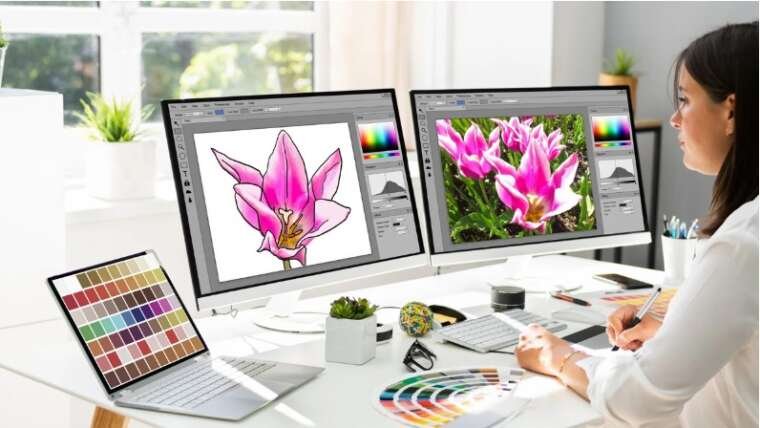

A graphic may look perfect on your screen but become blurry the moment you enlarge it. That is one of the biggest problems with low-quality raster images.
Expert vector design services solve this problem by creating artwork from mathematically defined shapes instead of fixed pixels. The result is clean, sharp graphics that can be resized without losing their quality.
Whether you need a logo, product illustration, business artwork, or print-ready design, professional vector artwork gives you more flexibility and better control over how your graphics look across different platforms.
What Is Vector Design?
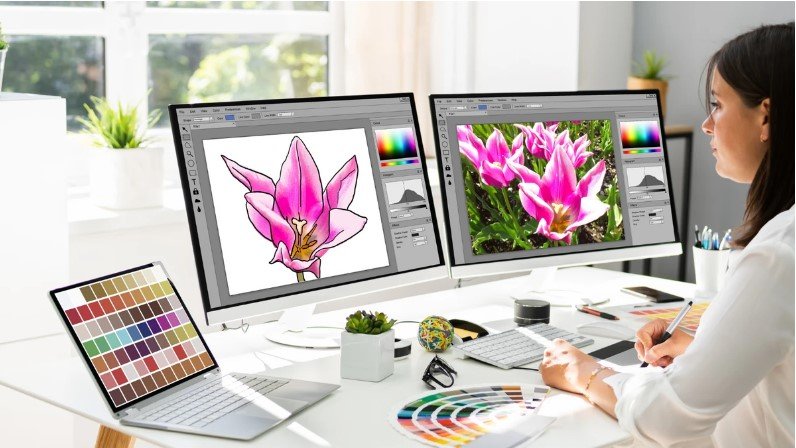
Vector design is a method of creating graphics using paths, curves, points, lines, and shapes.
Unlike raster images, which are made from individual pixels, vector graphics use mathematical instructions to define each element. This allows the artwork to remain sharp when scaled up or down.
Common vector file formats include:
- SVG
- AI
- EPS
- CDR
The exact format you need depends on how and where the artwork will be used.
Why Choose Expert Vector Design Services?
Creating a simple shape in vector software may seem easy. However, professional vector artwork requires more than tracing an image.
An experienced designer understands curves, anchor points, color separation, typography, composition, and file preparation.
Professional services can be useful when you need:
- A clean business logo
- Raster-to-vector conversion
- Print-ready artwork
- Product illustrations
- Custom icons
- Brand graphics
- Apparel artwork
- Marketing materials
- Editable vector files
The goal is to create artwork that looks good and remains useful in different applications.
Raster vs. Vector Graphics
Understanding the difference between raster and vector graphics can help you decide what type of artwork you need.
Raster Graphics
Raster images are built from pixels.
Common examples include JPG, PNG, GIF, and TIFF files.
They work well for photographs and detailed images but can become blurry when enlarged too much.
Vector Graphics
Vector graphics use paths and shapes rather than fixed pixels.
They can generally be scaled from a small icon to a large sign while maintaining sharp edges.
This makes vector artwork particularly useful for logos and designs that need to appear at multiple sizes.
What Do Expert Vector Designers Actually Do?
Professional vector design involves several stages.
1. Review the Source Artwork
The designer first examines the original image.
It may be a:
- Low-resolution logo
- Scanned sketch
- JPG
- PNG
- Screenshot
- Photograph
- Existing artwork
The quality of the source determines how much reconstruction may be required.
2. Recreate Shapes and Paths
The designer builds clean vector paths around the important elements.
This is where experience matters. Too many unnecessary anchor points can make curves uneven and difficult to edit.
Well-planned paths create smoother shapes and cleaner results.
3. Refine Curves
Curves need careful adjustment to look natural.
Professional designers may refine:
- Corners
- Curved edges
- Letter shapes
- Circular elements
- Line thickness
- Symmetry
Small improvements can make a major difference when the artwork is printed at a large size.
4. Rebuild Text and Typography
Text often requires special attention.
If the original font is unavailable, the designer may need to recreate or modify lettering so the final artwork maintains a similar appearance.
Proper spacing and alignment are also important for professional-looking typography.
5. Apply Colors
Colors are selected and separated according to the intended use.
For print projects, color requirements may differ from digital artwork. A designer may need to prepare files using appropriate color modes and specifications.
6. Clean the Artwork
Before delivery, unnecessary points, overlapping shapes, open paths, and other technical issues should be checked.
A clean file is easier to edit, print, and reuse.
Common Uses for Vector Design Services
Vector artwork is used across many industries and applications.
Logo Design and Redrawing
Businesses often need logos that work on websites, business cards, packaging, uniforms, signs, and promotional products.
A vector version gives the logo flexibility across these applications.
Print Design
Vector graphics are widely used for:
- Brochures
- Flyers
- Posters
- Business cards
- Labels
- Packaging
- Banners
Sharp edges and editable shapes make vector artwork suitable for professional printing.
Apparel and Merchandise
Vector files are often used for screen printing, vinyl cutting, embroidery preparation, and other garment decoration workflows.
A clean design can make production easier and more consistent.
Digital Graphics
Vectors can also be used for websites, apps, social media graphics, icons, and digital advertisements.
SVG files are particularly useful for many web-based applications because they can scale without becoming pixelated.
Benefits of Professional Vector Artwork
There are several reasons businesses choose professional vector design.
Scalable Quality
A vector logo can be used on a small business card or a large outdoor sign without the typical pixelation associated with enlarging raster images.
Easy Editing
Vector objects can usually be selected and modified individually.
This makes it easier to change colors, shapes, text, or other design elements.
Better Print Results
Clean vector paths can help create sharp edges and precise shapes during printing.
Flexible File Options
Professional vector artwork can often be supplied in several formats depending on the project’s needs.
Long-Term Use
A well-prepared vector master file can become a valuable asset for future branding and marketing projects.
What Is Raster to Vector Conversion?
Raster-to-vector conversion is the process of recreating a pixel-based image as editable vector artwork.
For example, you may have an old JPG logo that becomes blurry when enlarged. Instead of simply increasing its resolution, a designer can manually recreate the logo using vector paths.
This process is sometimes called vector tracing or vectorization.
Automatic tracing tools can help with simple graphics, but detailed logos often require manual refinement to achieve professional results.
Manual Vectorization vs. Automatic Tracing
Automatic tracing can be fast, but speed does not always mean quality.
Automatic Tracing
Automatic tools analyze pixels and attempt to create vector paths.
They can work well for simple images with clear shapes and limited colors.
However, they may create:
- Too many anchor points
- Rough curves
- Unwanted shapes
- Incorrect color areas
- Difficult-to-edit paths
Manual Vectorization
Manual vectorization involves rebuilding the artwork carefully.
The designer controls each important shape, curve, and detail.
This approach generally takes more time but can produce a cleaner and more editable file, especially for logos and detailed artwork.
How to Prepare Your Artwork for Vectorization
You can make the process easier by providing the best source material available.
Send the Highest-Quality Image
A clear source image makes it easier to identify edges and details.
If you have multiple versions of the artwork, provide the largest and clearest one.
Explain Your Requirements
Tell the designer how you plan to use the artwork.
For example:
- Website
- Packaging
- Large-format printing
- Apparel
- Signage
- Social media
- Promotional products
Different applications may require different file preparations.
Provide Color Information
If your logo uses specific brand colors, provide the relevant color references when possible.
This helps maintain consistency across future materials.
Mention the Required Format
Let the designer know whether you need SVG, EPS, AI, PDF, or another format.
If you are unsure, explain how you plan to use the file so the appropriate format can be recommended.
How to Choose Expert Vector Design Services
Choosing a vector design provider should involve more than comparing prices.
Consider these factors before starting a project.
Review Previous Work
Look at examples of logo vectorization, illustrations, typography, and detailed artwork.
Pay attention to smooth curves, clean edges, and overall precision.
Check File Quality
Ask whether the final artwork will be fully editable and whether unnecessary paths or objects will be removed.
Discuss Revisions
Make sure you understand whether revisions are included and how corrections are handled.
Confirm Delivery Formats
Check that the provider can deliver the formats you actually need.
Consider Turnaround Time
If you have a printing or marketing deadline, confirm the expected delivery schedule before beginning the project.
Mistakes to Avoid in Vector Design
Even small technical issues can cause problems later.
Avoid these common mistakes:
- Using excessive anchor points
- Leaving hidden or unnecessary objects
- Ignoring color requirements
- Creating uneven curves
- Using poorly prepared typography
- Delivering only a flattened image
- Forgetting to check the final artwork at different sizes
A clean master file gives you more freedom for future design work.
Expert Vector Design Services for Business Branding
A strong brand often needs artwork that works in many places.
Your logo may appear on a website one day and a large sign the next. It may also be printed on packaging, embroidered on clothing, or used on promotional products.
Having properly prepared vector artwork makes these changes much easier.
A master vector file can serve as the foundation for many future versions of your brand graphics.
Conclusion
Expert vector design services can turn low-quality or difficult-to-use artwork into clean, flexible, and scalable graphics.
From logo vectorization and raster-to-vector conversion to custom illustrations and print-ready artwork, professional vector design helps ensure that your graphics remain sharp and editable across different applications.
For the best results, provide a clear source image, explain how the artwork will be used, request the correct file formats, and make sure the final design is properly cleaned and organized.
A well-made vector file is more than just another graphic. It is a reusable design asset that can support your branding, printing, marketing, and digital projects for years.
FAQs
1. What are expert vector design services?
Expert vector design services involve creating, redrawing, converting, or refining graphics using vector paths and shapes. These services can include logo vectorization, custom illustrations, and raster-to-vector conversion.
2. Why should I convert my logo to vector?
A vector logo can be resized without the same pixelation problems associated with raster images. This makes it useful for everything from small digital graphics to large-format printing.
3. What is the best format for a vector logo?
Common formats include SVG, AI, EPS, and PDF. The best choice depends on how the logo will be used and which software or production process will handle the file.
4. Can a low-resolution JPG be converted into a vector?
Yes. A low-resolution JPG can often be manually recreated as vector artwork. The designer may need to rebuild shapes, lettering, colors, and other details rather than simply enlarging the original image.
5. Is manual vector tracing better than automatic tracing?
Automatic tracing can work well for simple graphics, while manual vectorization gives greater control over curves, shapes, colors, and details. For professional logos and complex artwork, careful manual refinement is often important.