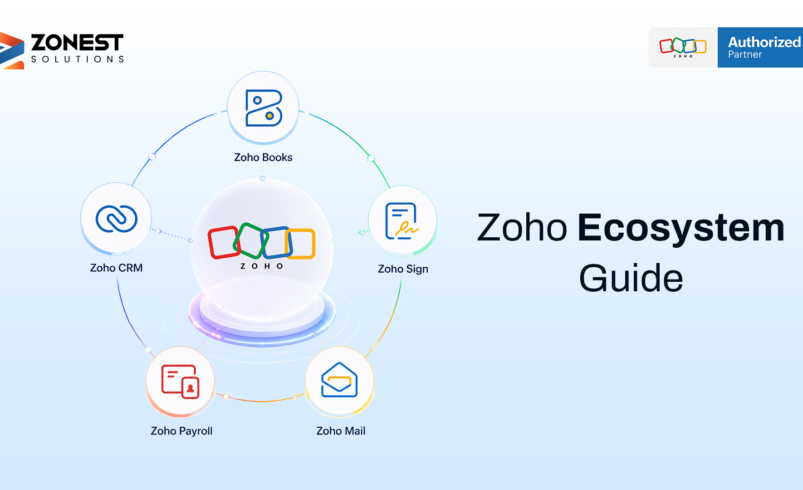

When we talk about the Zoho ecosystem, it includes over 50 integrated business applications that work as one unified platform. This ecosystem covers customer relationship management, finance, human resources, marketing, and collaboration tools. Instead of using separate software for each department, businesses can run operations from a single login. The Zoho One ecosystem takes this further by bundling these apps into one comprehensive package.
Key Takeaways
- The Zoho ecosystem includes over 50 integrated business applications.
- Zoho One bundles these apps into a single platform with one login and unified data.
- Data flows automatically between apps, reducing manual data entry and errors.
- Businesses can start with one app and expand as they grow.
- The ecosystem includes AI-powered features that help automate routine tasks.
1. What is the Zoho Ecosystem?
The Zoho ecosystem consists of more than 50 business applications that work as one integrated platform. These apps cover customer relationship management, accounting, human resources, marketing, project management, and collaboration.
What makes the Zoho ecosystem different is its shared data structure, consistent user interface, and native integration. All apps share the same underlying data layer. When you add a customer in the CRM, that information can be available in the accounting app for invoicing. When you create a project, the system can pull contact details from the sales app without duplicate entry.
How is it different from using separate tools?
Most growing businesses use between 10 and 15 different software tools. This fragmented approach creates problems such as separate data silos, multiple passwords, different interfaces, manual reporting, and duplicate data entry.
The Zoho One ecosystem solves these problems by connecting departments on one platform. Data flows automatically between apps, reports reflect information from the business, and manual data entry and duplicate work are reduced.
2. All Major Zoho Apps, Sorted by Their Function
The Zoho apps list includes over 55 applications covering major business functions.
Sales and CRM Tools
Zoho CRM manages leads, customer interactions, and deals. Zoho Bigin is a lightweight CRM designed for smaller teams. Zoho SalesIQ enables live chat and tracks visitor behavior.
Finance and Accounting Tools
Zoho Books handles invoicing, accounting, and tax compliance. Zoho Expense tracks employee expenses and approval workflows. Zoho Payroll processes salaries and manages compliance for supported markets.
Marketing Tools
Zoho Campaigns creates and automates email marketing campaigns. Zoho Social manages social media posts and analytics. Zoho Marketing Automation automates the customer journey and tracks lead behavior.
HR and People Management Tools
Zoho People manages attendance, leave requests, and performance reviews. Zoho Recruit manages job openings and applicants. Zoho Payroll processes salaries and compliance.
Customer Support Tools
Zoho Desk manages support tickets, SLAs, and knowledge bases. Zoho Assist provides remote IT support.
Team Collaboration Tools
Zoho Mail provides business email hosting. Zoho Cliq supports team messaging. Zoho WorkDrive provides file storage and document management. Zoho Meeting supports video calls and webinars. Zoho Projects supports project planning and task tracking.
Data and Reporting Tools
Zoho Analytics creates business intelligence dashboards and cross-app reports. Zoho DataPrep cleans and prepares raw data.
Custom App and Automation Tools
Zoho Creator builds custom apps using low-code tools. Zoho Flow connects and automates workflows across apps.
3. How Data Moves Between Zoho Apps
The data syncs automatically across the Zoho ecosystem. Businesses do not need to export CSV files, upload them to another app, or maintain separate spreadsheets to keep things current.
One customer record, used everywhere
- A website visitor fills out a contact form and the information enters Zoho CRM as a new lead.
- When the deal closes, the system creates a customer account in Zoho Books.
- Zoho Books generates an invoice.
- When the customer pays, the payment is recorded in Zoho Books and the status updates in Zoho CRM.
- Zoho Analytics pulls revenue data into a dashboard.
Zoho Flow connects apps that need custom automation. It works similarly to platforms like Zapier, but is built natively inside the Zoho One ecosystem.
Zoho also integrates with Google Workspace, Microsoft 365, Shopify, QuickBooks, Slack, Salesforce, and Zapier.
4. What is Zoho One and Why Does It Matter?
Zoho One is the all-in-one subscription that gives your entire team access to over 55 Zoho apps under one license. It provides one login, one admin panel, one billing cycle, and access to apps including CRM, Books, Desk, People, and Projects.
Zoho One vs buying individual apps
- Using 1 to 2 apps: Individual apps may be cheaper.
- Using 3 or more apps: Zoho One typically reduces integration complexity.
- The organization needs shared data: Zoho One provides a unified approach.
Zoho One offers Flexible User Pricing and All Employee Pricing. ZoNest helps clients calculate what makes sense for their team size before they commit.
ZoNest’s role here
ZoNest is an official Zoho Partner that helps businesses in the US and Australia evaluate whether Zoho One fits their current stage and growth plans. The team assesses software usage, compares costs, plans rollout phases, and handles implementation, customization, and integration.
5. How Zoho Apps Work Together in Real Businesses
A growing e-commerce business can use Zoho CRM for customer data, Zoho Campaigns for email marketing, Zoho Inventory for stock, Zoho Books for invoicing, Zoho Analytics for reporting, and Zoho Commerce for e-commerce.
A professional services or consulting firm can use Zoho CRM for sales, Zoho Projects for delivery, Zoho Books for billing, Zoho People for team management, and Zoho Desk for client queries.
A small business can start with Zoho CRM and Zoho Books, then add Zoho Desk, Zoho People, Zoho Projects, and Zoho Analytics as it grows.
6. The Benefits of Running Your Business on One Ecosystem
No more copying data between tools
Customer records can update across connected apps without duplicate entry, reducing manual work and data errors.
Reporting that covers the whole business
Zoho Analytics can show sales, finance, support, project delivery, and team performance in one dashboard.
Lower cost than running separate tools
The Zoho One ecosystem can reduce the need for multiple subscriptions and paid integration tools.
Easier for your team to learn
Zoho apps share a consistent design language and navigation logic, making it easier for employees to work across applications.
7. Recommended App Stacks by Business Type
Starter stack for a 1 to 10 person business
Zoho CRM + Zoho Books + Zoho Mail for sales tracking, invoicing, and business email.
Growth stack for a 10 to 50 person business
Zoho CRM + Zoho Books + Zoho Desk + Zoho Projects + Zoho People for sales, finance, customer support, project delivery, and HR basics.
Full operations stack for a 50+ person business
Zoho One full ecosystem for company-wide visibility, automation, and cross-department data.
Phase 1 can include CRM, Books, People, Desk, and Analytics. Phase 2 can add Campaigns, Projects, Inventory, and Flow.
8. What to Keep in Mind Before You Set Up Zoho
Start with your core workflows, not the full app list
Identify two to three critical workflows first and use a phased rollout rather than enabling all applications at once.
Data quality matters from the start
Clean duplicate records, standardize formats, validate email addresses, and complete mandatory fields before importing data.
A certified Zoho partner reduces risk
A certified Zoho partner can help with system design, data migration, integrations, automation, testing, training, and go-live support.
Conclusion
To get the most out of your Zoho ecosystem, you need the right approach from the start. The platform offers powerful capabilities, but success depends on proper setup, clean data, and a phased rollout that matches your business needs.
ZoNest is a certified Zoho partner serving businesses in the US and Australia. The team helps clients implement Zoho in a structured, phased way, including business assessment, rollout planning, data migration, workflow configuration, and training.